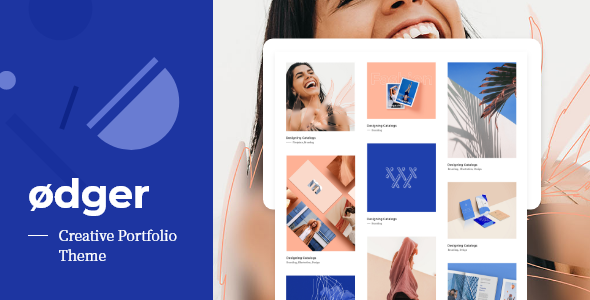
Ødger - Creative Portfolio WordPress Theme
WordPress of the Day

Ødger - Creative Portfolio WordPress Theme

5.0 FREE
  • Screenshot 1
  • Screenshot 2
  • Screenshot 3
  • Screenshot 4
  • Screenshot 5
  • Screenshot 6
  • Screenshot 7
  • Screenshot 8

Description

CHECKOUT SHORT INTRO CUSTOMIZER VIDEO Main features: Best Wordpress Portfolio Theme since 2015, Award Winner and nominee on various awwards multiple times! Best Responsive Wordpress Portfolio Theme – adapted to any Screen or Device Minimal responsive and Lightweight Create amazing Agency portfolio, Artists Portfolio, Architecture Portfolio, Business Portfolio, Cartoon Portfolio, Creative Portfolio, Designer Portfolio, Developer Portfolio, Graphic Designer Portfolio, Photography Portfolio, Photographer Portfolio, Painter Portfolio , Resume Portfolio, Web developer Portfolio, Illustrator Portfolio, Cv Portfolio, Engineer Portfolio, any kind Personal Portfolio, Fashion Portfolio, Design Portfolio, Freelancer Portfolio, Architectore Portfolio, Film Maker Portfolio Isotope Filter ready Isotope Grid ready, create and control amazing Thumbnail Grid, Zoom effect ready Ability to create Fullscreen, Full page Portfolio Minimal Design Minimalistic Clean UI elements One Page / Single Page ready /Onepage Parallax Effect ready. Parallax effect ready for other custom pages Revolution Slider – Ready Visual Composer ready Ultimate Addons ready Lightweight Portfolio Template Create Youtube Portfolio, Vimeo Portfolio , self hosted Video Portfolio Ability to create Blog & Portfolio togeather Html 5 Ready Seo Ready Create amazing Landing Page Create Masonry Grid Your Website will be eye catching for everyone! Easy fast and Creative Portfolio Wordpress Theme One of the easy to use Portfolio Theme Wordpress on the market Fast loadign, speed optimized Portfolio Wordpress Theme Cufo is an amazing portfolio theme packed with great features, demo content and limitless customisation options. Express your creativity and create your own design by simply adjusting any of the 2000+ customize settings and view your changes in Realtime, or save time and use one of Cufo?s pre built demo designs. SEE CHANGES IN REALTIME! Thousands of individual customisation options at your fingertips. Easily create your personal color scheme and design layouts in real-time as you modify each setting. Cufo provides endless possibilities, the only limit is your imagination. Cufo also comes with top-notch support and free lifetime updates! 2000+ Customizer Controls(options) to customize your Theme as you wish! Note: listing all Theme Features below will lead us to infinite scrolling of this page, but here are the major ones 24/7 Support and Online Documentation Compatibility with Best Free Elementor addon – Royal Elementor Addons Enhanced Wordpress Theme Customizer with: Countless options – everything updates in Real Time Easy & beautiful user interface NO backend Admin Panel – All Theme Options are located here in Theme Customizer 21 Unique predefined Theme Designs – with advantages: One Click change from the Theme Customizer New design loads in less than 30 seconds Everything happens in Real Time, without any import Non-stop, ‘Coming Soon’ new designs in the future theme updates Slider Revolution – Ready Essential Grid – Ready Visual Composer – Ready Ultimate Addons for Visual Composer – Ready 100% Responsive & Retina Ready Built with HTML5 and CSS3 SEO Optimized Clean & Commented Code Translation Ready – .po & .mo files included (WPML friendly) Child Theme example included (with screenshot) Fullwidth and Boxed(set in pixels) Site Layouts Background: Colors, Transparent Colors, Images, Patterns and even Gradients for: Body Sidebar Page Header Content Footer, etc… Sidebar Includes: Logo, Menu, Filters and Widgets Sidebar Options: Attachment Fixed/Static Position Top/Left Folding Button (left sidebar, optional) Custom Scrollbar (left fixed sidebar) 2 types of Logo – Image/Text Site Tagline below Logo with Advanced Font Options ‘Draw’ your own Text Logo with amazing Logo options: Advanced Font Options – Font Family, Size, Letter Spacing, etc… Background color, Text color, Text hover color Border: Size, Style, Color Corner Radius Text & Box Shadows, etc… Menu Options: Menu Title (left sidebar, optional) Text or Button style – with multiple styling options Active Item Highlight (optional) One level Sub Menu (left sidebar) Multi level Sub Menu (top sidebar) Show Sub Menus on – Hover/Click Advanced Font Options Filters Options: Filtrable Portfolio and Blog Pages Text or Button style – with multiple options Active Ttem Highlight (optional) Advanced Font Options Fontawesome Icon Select – Left/Right side Isotope or Classic – links based Filters Page Header Options: for Portfolio, Blog, Contact and Default pages Title & Subtitle support for each page separately Advanced Font Options Advanced Spacing Options Multiple Portfolio Pages Portfolio Page Options: Layout Modes: Masonry, Metro Masonry and FitRows(equal post height) Custom Post Thumbnail Aspect Ratios(image sizes) 2, 3, 4, 5 Columns with brakepoints or 1, 2, 3, 4 Constant Columns (brakepoints only for mobile devices) Post Likes and Sharing Client Testimonials Move Post Title and other elements independently above, below or on posts image Info Hover 20+ CSS image Info Hover effects with Transition control Info Hover effect Randomization Lightbox Image/Video Popup Image Overlays: Color & Transparency, Grayscale, Zoom Optional Post Format Icons with Icon Select and much more, even you can’t imagine Blog Page Options: Almost all above Portfolio Page Options are the same for Blog Except CSS Info Hovers and Testimonials Portfolio Single Project Options: Project Header Position: Above/Below Featured Image Previous/Next Project navigation arrows (optional) Project Sharing Icons (on/off separately) Project Info – floated to the right side or below the Project Content additional fields for Project Description Categories, Skills, Project Link, etc… Blog Single Post Options: Almos the same as Portfolio Single Project Options Except: Project Info (Description and Details) Gallery Options: Slideshow and Stacked Gallery Captions (optional) Advanced Slideshow options 7 Slideshow transition effects Arrows and Navigation controls Gutter control for Stacked Galleries Enhanced Wordpress’ native Gallery Shortcode 1, 2, 3, 4 and 5 Collumns support for native Galleries Gutter control for native Gallery Similar Posts Carousel Options: For Portfolio and Blog Different Carousel Title Display Random or Related Posts (separately for Portfolio/Blog) Number of posts to show Increase/decrease Columns Rate Autoscroll and Transition options Previous/Next Arrows (optional) Image Hover Overlay – Color and Transparency Comments Options: Disable globally on Portfolio/Blog Comment author Avatar Sizes: Small, Medium, Large Post author comment Background Color highlight Input Fields Options: for Comments and Contact Page 5 layouts Background, Text, Border Colors Background, Text, Border Focus Colors and even Error Color Search Input – Icon Select Posts Pagination Options: 4 different types for Portfolio and Blog pages Numeric – with optional Previous/Next and First/Last Default – only Previous/Next Infinite Scroll – Automatic Load More – Manual Icon Select For: Prev/Next, First/Last and Load More button Contact Page Options: 7 Custom Fiels – for contact info (optional) Form and Info Titles (optional) Google Map positions – Top/Bottom Advanced Google Map options 5+ Layout combinations with above options Custom Copyright Text with Advanced Font Options Social Icons Options: 10 Social URL fields FontAwesome Social Icon Select Rearrange ability – with Icon Select Icons Size, Corner Radius, Border, Color, Hover Color, Shadow, etc… Copyright & Socials Block: Attachment: Fixed/Static Fixed – Folding Button (optional) Static – 3 different layouts Back to Top Button Options: Turn on/off Show up Transition Page scroll Transition Advanced Styling Options Global change of Heading and Body Text Families Websafe and 650+ Google Fonts Google Font Subsets: Latin, Cyrillic, Greek, Vietnamese Advanced Typography options From H1 to H6 including Paragraphs: Font Family Font Size Line Height Letter Spacing Font Weight (100 to 900) Italic Uppercase Custom CSS with – Editor styling and FullScreen options Custom JavaScript and Google Analytics Favicon upload: Default and Apple Touch Icons Left Sidebar, Top and Footer Widgets – Advanced Styling Options Globally enable/disable Widget Titles 2, 3, 4 columns select for Top & Footer Widgets Disable Footer Widgets separately on different Pages. Plugins Included: Royal Portfolio Royal Recent Portfolio Posts widget. What People Say:

Guides & Tutorials for Cufo - Responsive Wordpress Portfolio Theme

How to install Cufo - Responsive Wordpress Portfolio Theme
  1. Click the Preview / Download button above.
  2. Once redirected, accept the terms and click Install.
  3. Wait for the Cufo - Responsive Wordpress Portfolio Theme download to finish on your device.
How to use Cufo - Responsive Wordpress Portfolio Theme

This software is primarily used for its core features described above. Open the app after installation to explore its capabilities.

User Reviews for Cufo - Responsive Wordpress Portfolio Theme 0

    No reviews found

Similar Apps